Create an Artifact Registry
An Artifact Registry is a central location for storing and managing software artifacts, such as container images or helm charts used throughout the software development lifecycle.
Artifact registries can be created at Account, Organization, or Project level. Navigate to the desired scope level in Harness before creating the registry to control its accessibility across your organizational structure.
To create an artifact registry, follow these steps:
-
Navigate to the desired scope level (Account, Organization, or Project) where you want to create the registry.
-
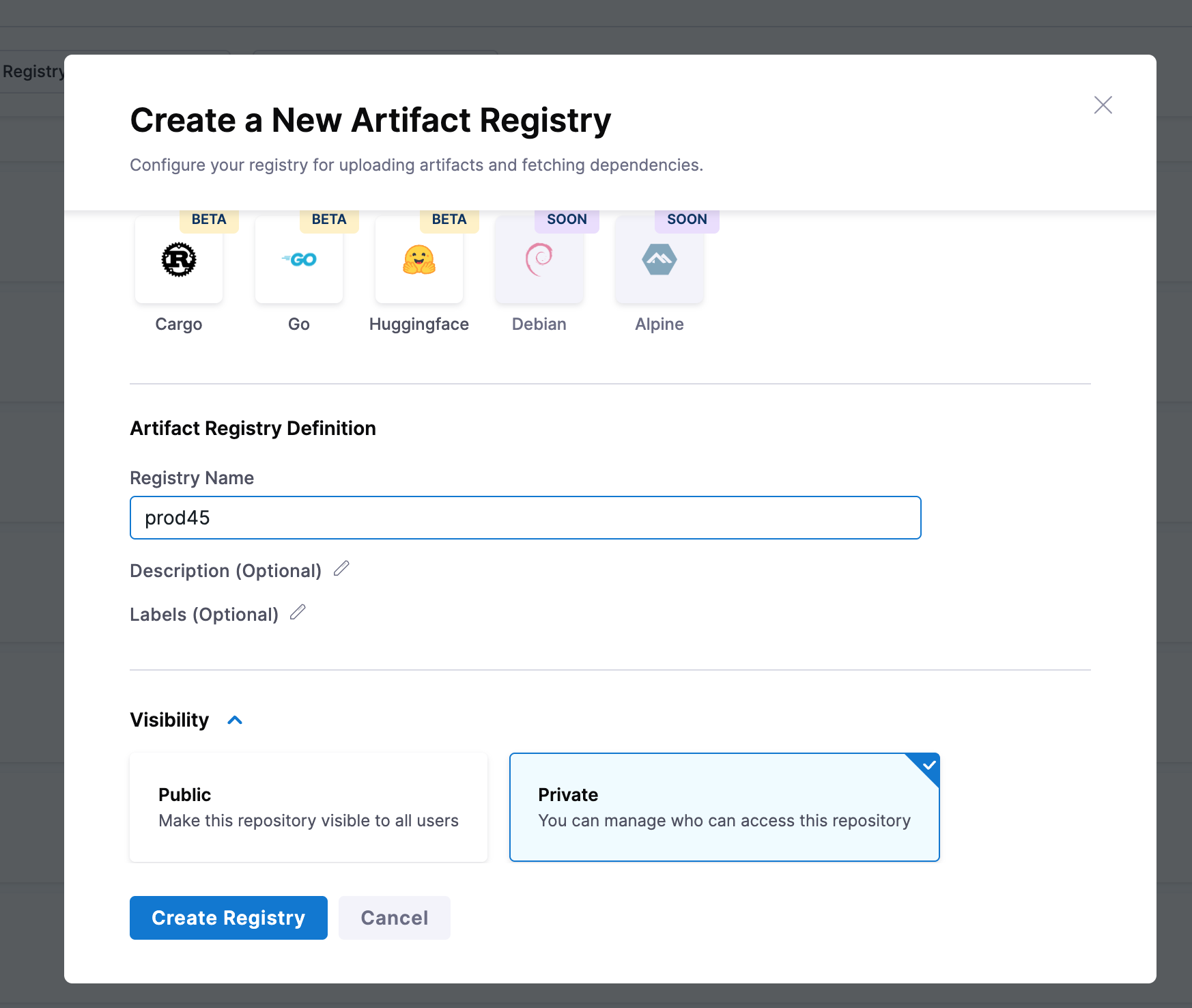
Select + New Artifact Registry under the Registries tab.
-
Select a registry type.
-
Enter a Registry Name and optional Description and Labels.
tipThis registry name must start with a letter and can only contain lowercase alphanumerics,
_,.and- -
Select Visibility between Private and Public. This will determine if the registry is accessible to all users or not.
infoPublic registries allow anyone to view repository contents and pull images. Private registries restrict both visibility and image pulls to users or service accounts with the required permissions or tokens.
Feature flag requirementPublic registry visibility is gated by the
PL_ALLOW_TO_SET_PUBLIC_ACCESSfeature flag. The same flag controls both creating a new public registry and switching an existing registry's visibility from Private to Public. If the Public option is missing on the Create Registry form (or on the visibility control of an existing registry), the flag is not enabled for your account.To enable public registry visibility:
-
Contact Harness Support to activate the
PL_ALLOW_TO_SET_PUBLIC_ACCESSfeature flag for your account. -
In your Harness account, go to Account Settings > Authentication and turn on Allow public resources.
Both steps are required. Go to Change registry visibility to switch an existing registry between Private and Public after the flag is enabled.
-
-
Select Create Registry.
Next steps: To know about creating an upstream proxy, go to Create an upstream proxy.