Datadog
Datadog is a cloud-hosted monitoring and analytics platform for development and operations teams. Integrate Harness FME data into Datadog to monitor and measure the performance impact of Harness FME changes. If you are having trouble completing the integration, contact us at support@split.io.
In Datadog
-
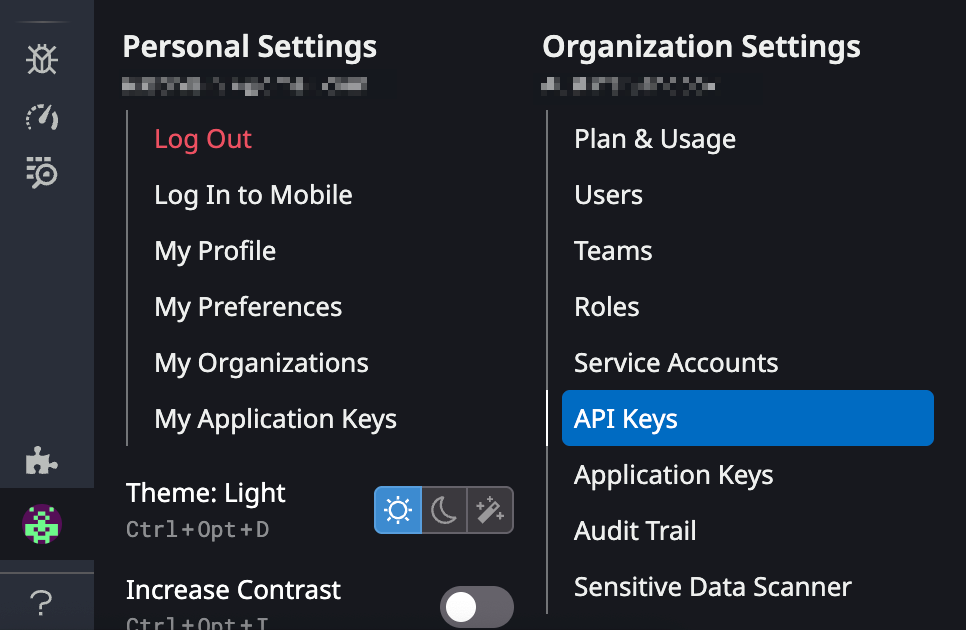
From the Datadog navigation menu, go to Organization Settings and click API Keys.
-
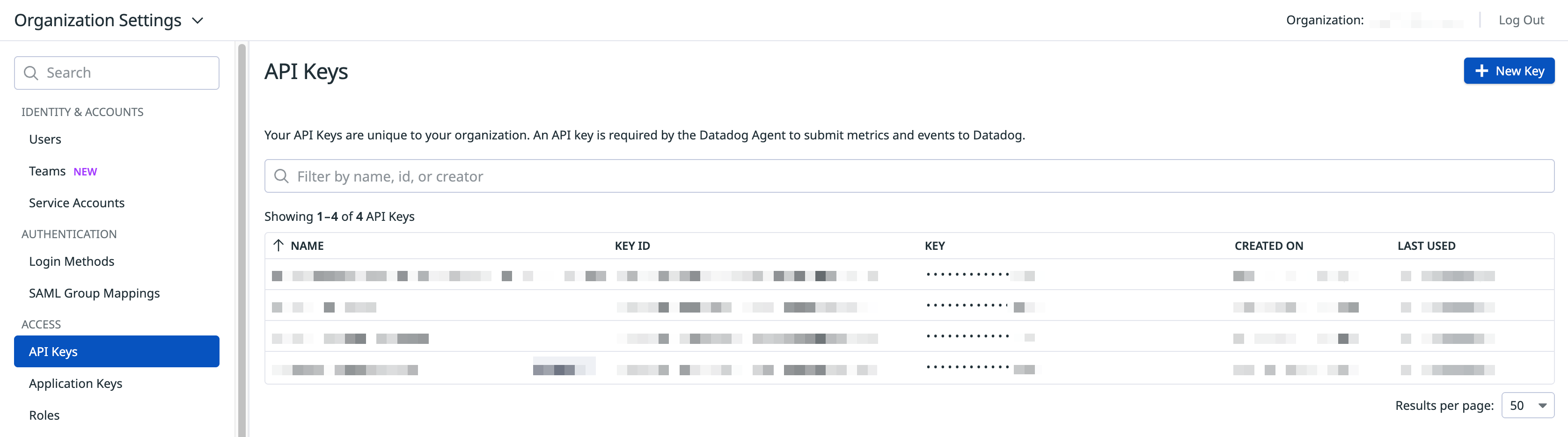
Click + New Key.
-
Copy the API key that you just created.
In Harness FME
-
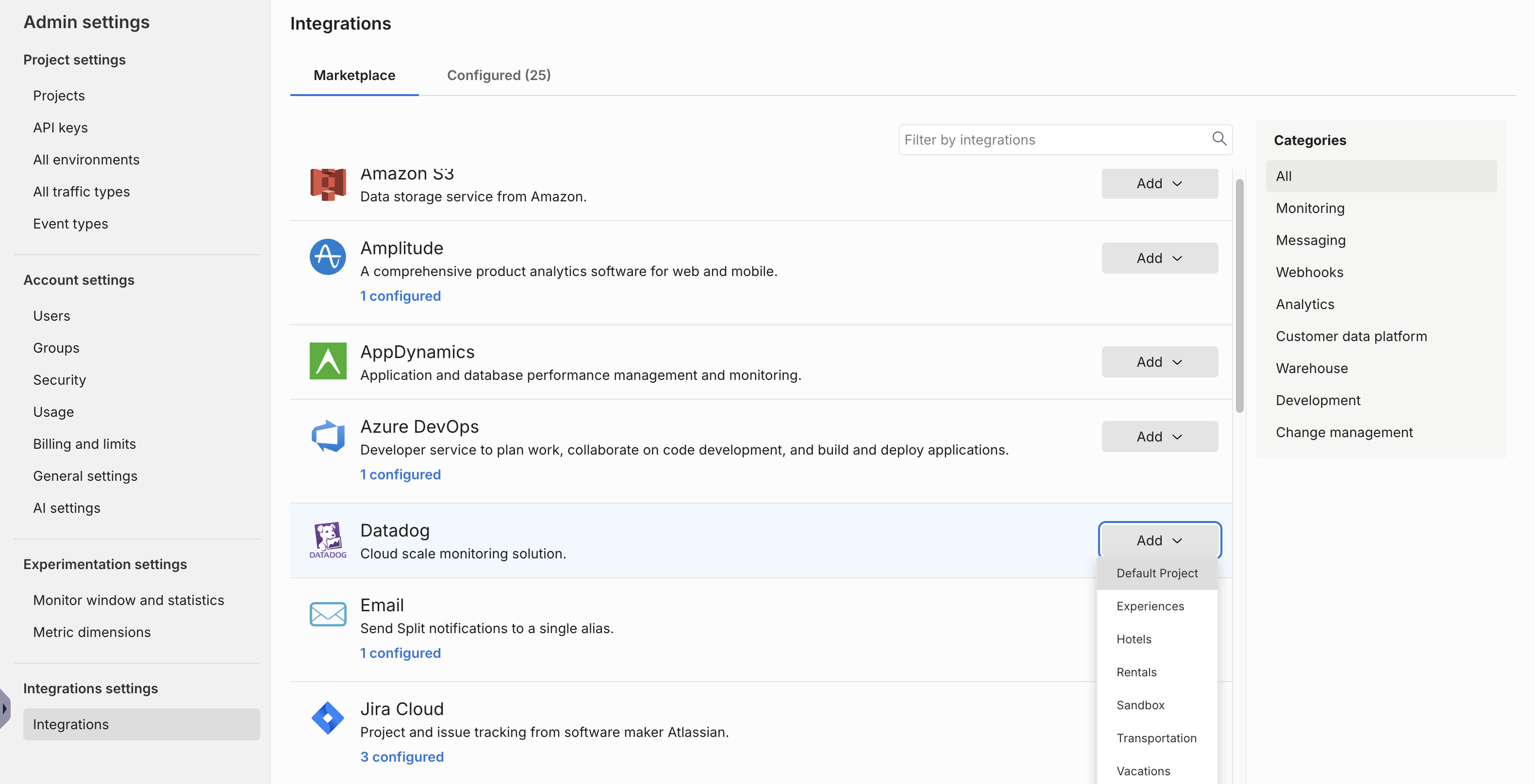
From the FME navigation menu, click FME Settings and navigate to the Integrations page.
-
Locate the Datadog integration and click Add.
-
Select the project for which you would like to configure the integration.
-
In the
Environmentfield, specify the environment from where you want audit logs sent to Datadog. -
In the
Sitefield, map the integration to a specific Datadog site.infoIf you’re a current Datadog integration user, your integrations will continue to work. However, when you edit the integration, you must select the environments and the URLs again before you save your new setting.
-
In the API key field, paste the API key that you copied in Step 3 of the Datadog instructions.
-
Click Save to save your selections. You have now mapped your integration to your selected site.
Harness FME notifications should now display in Datadog as "tags:role:split.io".
Using FME with Datadog RUM
This Harness FME integration automatically enriches your RUM data with a feature flag variant. It allows you to correlate feature releases with performance and troubleshoot any issues to ensure safe feature releases.
To get started, go to Using Feature Flags and Split - Rum to set up data collection for your feature flags with this Harness FME integration. You can monitor your feature flags, turn them off, or roll them back, without causing negative user experiences.
The Datadog RUM integration has been tested by Harness FME but is owned and maintained by Datadog. For more information, contact Datadog support.