Rollbar
Rollbar is an error tracking software for development teams. Integrate Harness FME data into Rollbar to get rollout events in Rollbar to gain insight on the causes of errors.
If you are having trouble completing the integration, contact us at support@split.io.
In Rollbar
-
Log in to your Rollbar account.
-
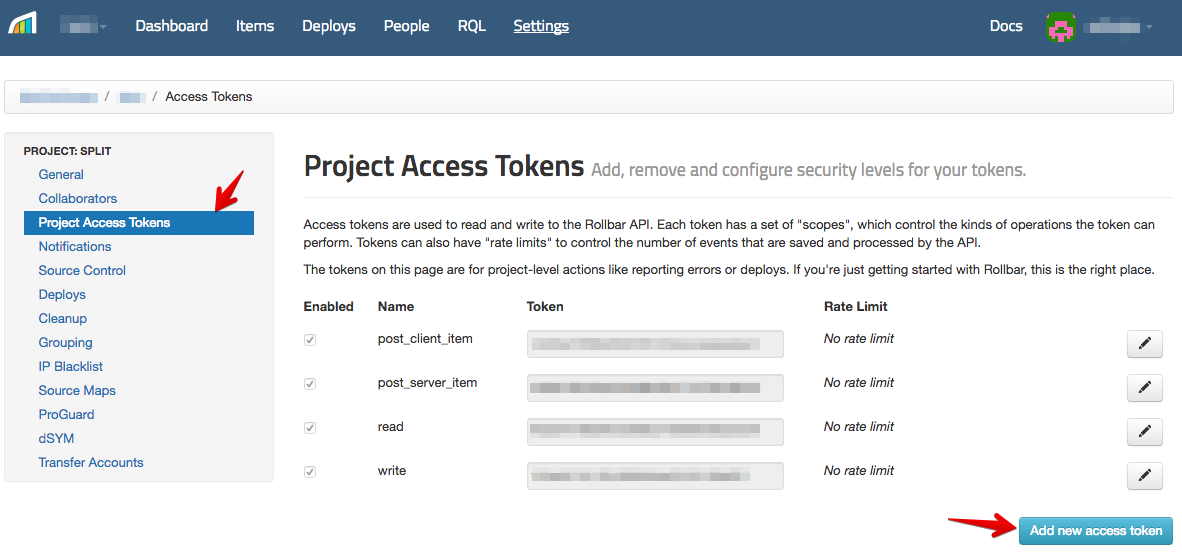
Click Settings.

-
Select Project Access Tokens.
-
Click Add new access token.
-
Edit the new token and rename to split.
-
Ensure that
post_server_itemis the only item checked.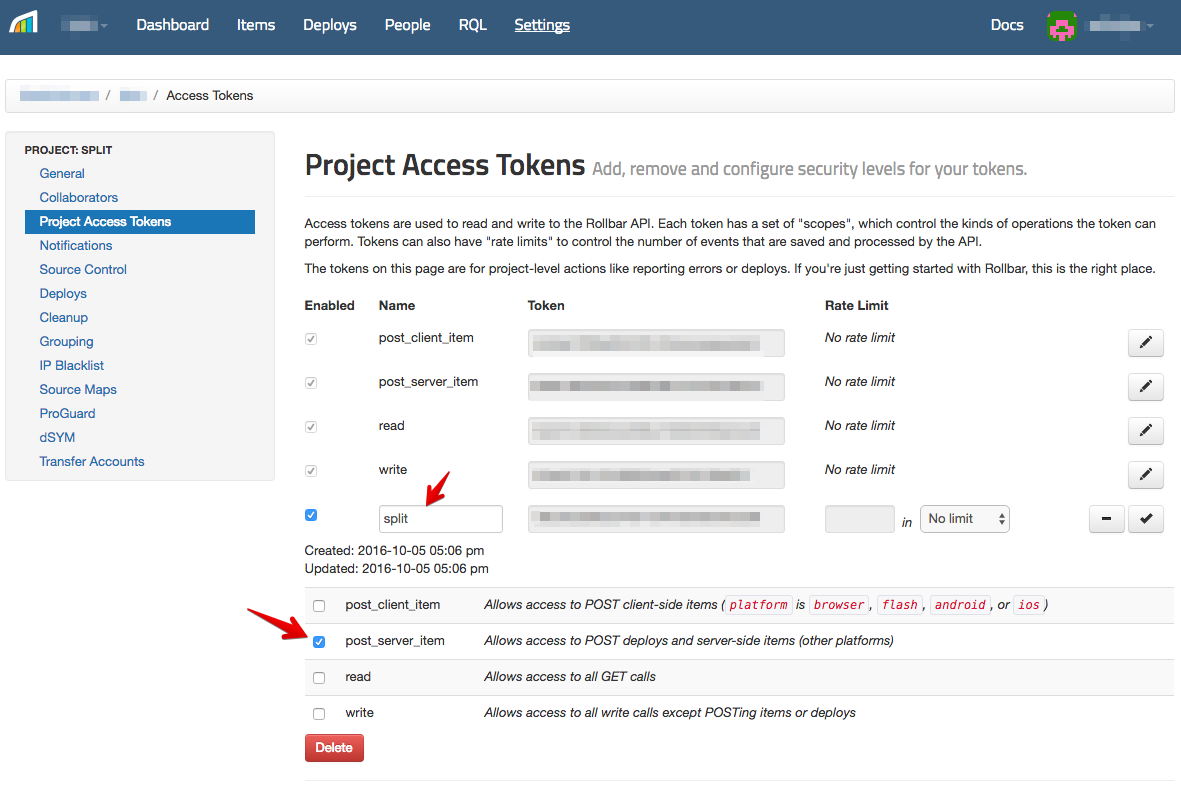
-
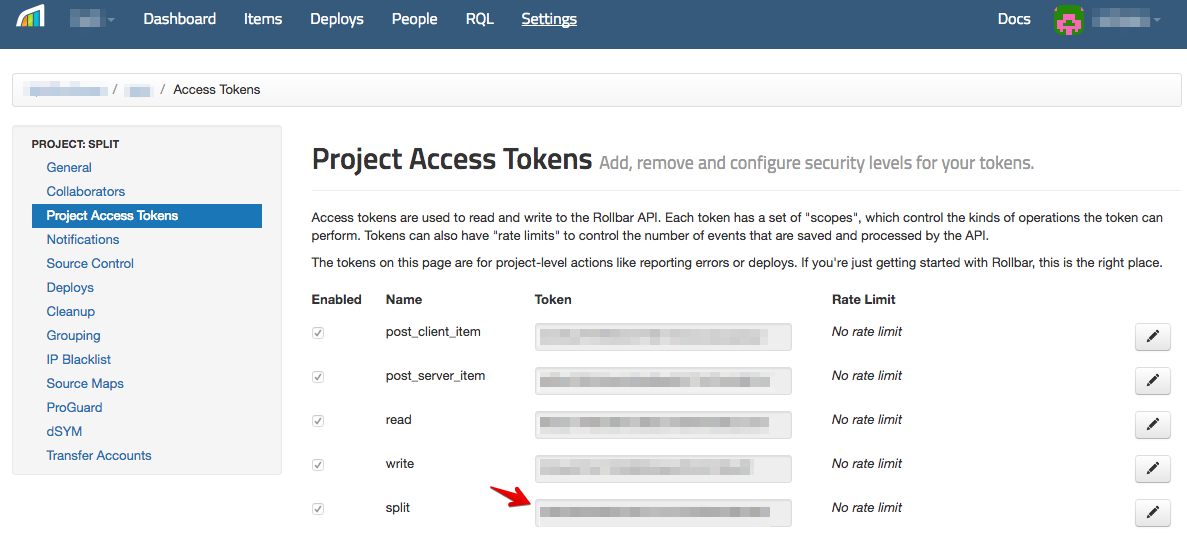
Copy the token.
In Harness FME
-
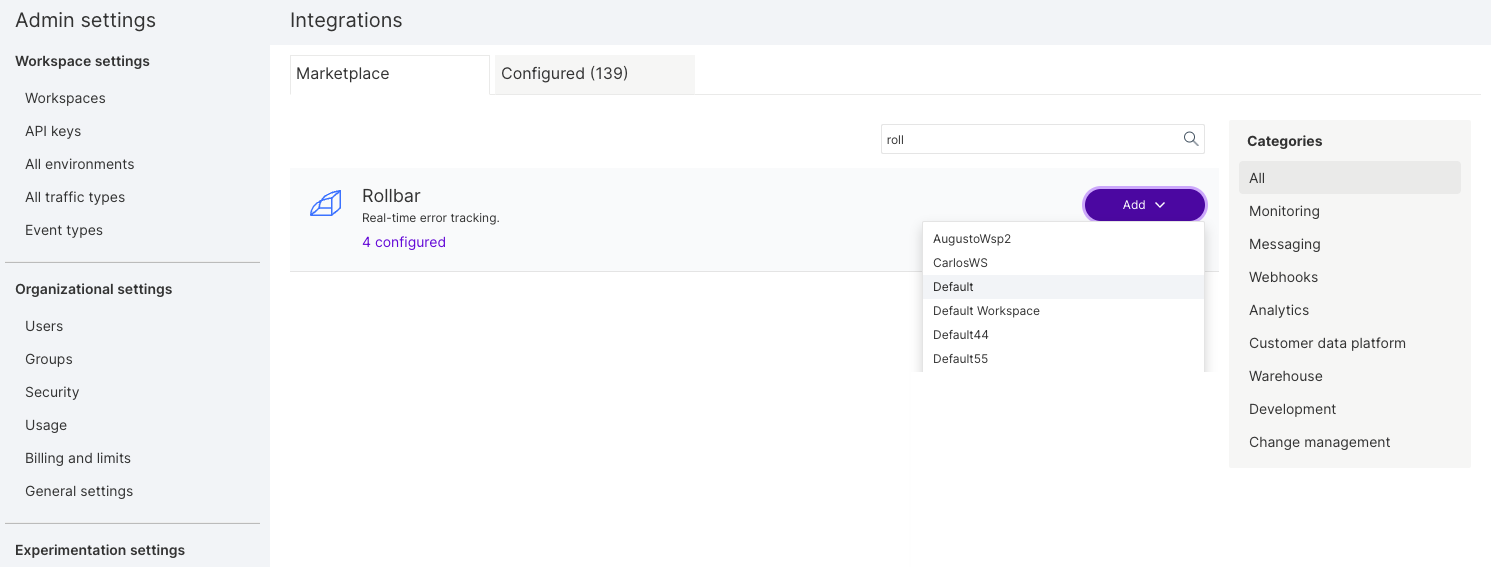
From the FME navigation menu, click FME Settings and navigate to the Integrations page.
-
Locate the Rollbar integration and click Add.
-
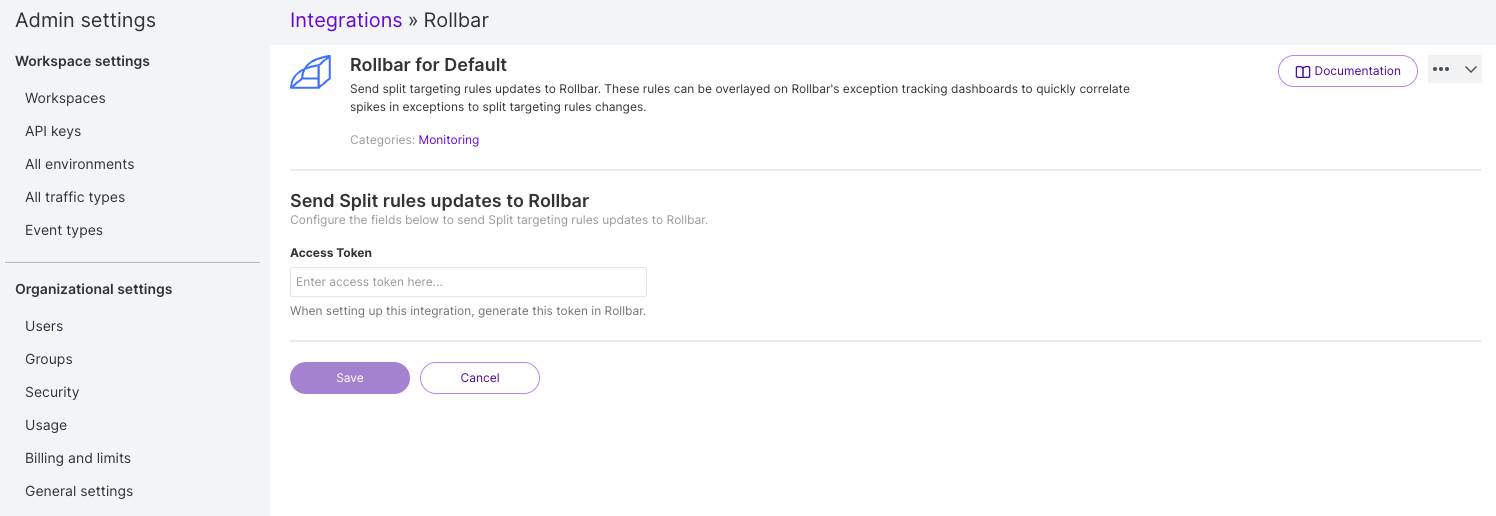
Click Add next to Rollbar and select and select the project for which you would like to configure the integration.
-
Paste the token you copied in step 3 of the Rollbar instructions.
-
Click Save.
Harness FME notifications should now be flowing into Rollbar. If you have any issues with this integration, contact support@split.io.