Enforce onSave policies on Git entities
Harness uses Open Policy Agent (OPA) policies to enforce governance rules across your entities. An onSave policy runs whenever you save an entity, such as a pipeline or service. If the entity violates a policy, Harness prevents it from being saved.
Git-backed entities store their configuration in a Git repository rather than exclusively in Harness. Previously, if you committed changes directly to Git instead of through Harness, the onSave policy was not evaluated. As a result, changes that would have been blocked in Harness could still be committed to the repository without policy validation.
Harness now runs onSave policies when you commit a change directly to a Git-backed entity. For pipelines and templates, Harness also blocks pipeline execution when the most recent commit fails the policy check. For CD entities (services, environments, infrastructure definitions, and overrides), Harness surfaces the policy violation status on the entity detail page and gates pipeline execution at the step level when the referenced entity is invalid. This keeps Git-backed entities governed the same way as entities saved directly in Harness.
What you will learn in this topic
This topic explains how Harness enforces onSave OPA policies on Git-backed entities and how to resolve a blocked pipeline. It covers:
- What you need before you begin.
- Which entities are supported.
- How onSave enforcement works.
- Where to view policy evaluation results.
- How to re-evaluate a blocked entity.
Before you begin
- Git-backed entity: The entity is stored in Git. Go to Harness Git Experience to configure Git-backed entities.
- GitX webhook: A webhook is configured for the repository, because evaluation is triggered when a change is committed to Git. Go to Set up bi-directional sync to configure the webhook, and to Git Experience health status to confirm webhook coverage.
- onSave policy set: A policy set that evaluates onSave targets the entity type. Go to Harness Policy as Code overview to create policies and policy sets.
Pipelines and templates: This feature is behind the feature flags PIPE_OPA_GITX_ENFORCEMENT and PIPE_ENABLE_OPA_GOVERNANCE_FOR_AUTO_CREATION. Contact Harness Support to enable them.
CD entities (services, environments, infrastructure definitions, overrides):
- Webhook path (evaluate and store OPA status when a commit arrives):
CDS_OPA_GOVERNANCE_FOR_WEBHOOK - GET API status display (validation badge on entity detail pages):
CDS_DISABLE_OPA_GITX_STATUS_IN_GET(enabling this flag suppresses the badge) - Execution gate (block pipeline step when the referenced entity is invalid):
PIPE_OPA_GITX_ENFORCEMENT
Contact Harness Support to enable or manage these flags.
Supported entities
onSave enforcement for Git-backed entities applies to:
How onSave enforcement works
When you commit a change to a Git-backed entity directly in Git, a webhook notifies Harness about the change. Harness then checks the new version of the entity against the onSave policies that apply to it, and saves the result for that commit.
Harness tracks two commits for each entity:
- Last Commit: The most recent commit Harness checked.
- Last Valid Commit: The most recent commit that passed the policy check.
Harness only checks the most recent commit. If your latest commit fails the policy check, Harness shows the violation on the entity detail page and, for pipelines, blocks the pipeline from running. To clear the violation, commit a new change that passes the policy check.
Enforcement behavior by entity type
The way Harness enforces a policy violation depends on which entity type is affected.
Pipelines and templates: Harness blocks the pipeline run and displays the policy results in the validation modal instead of a generic error. You must commit a fix before you can run the pipeline again.
CD entities (services, environments, infrastructure definitions, overrides): Harness stores the policy evaluation result and surfaces it on the entity detail page. When PIPE_OPA_GITX_ENFORCEMENT is also enabled, Harness gates pipeline execution at the step level: if the service or infrastructure definition referenced in a stage has a failing onSave policy result for its latest commit, Harness fails the execution at that step. This applies to both fixed and runtime-resolved entity references. Entities are not automatically propagated as invalid to all pipelines that reference them; the failure is caught at execution time when the step resolves the entity.
View policy evaluation results
Harness displays the stored policy evaluation results in the following scenarios.
In Pipeline Studio and Template Studio
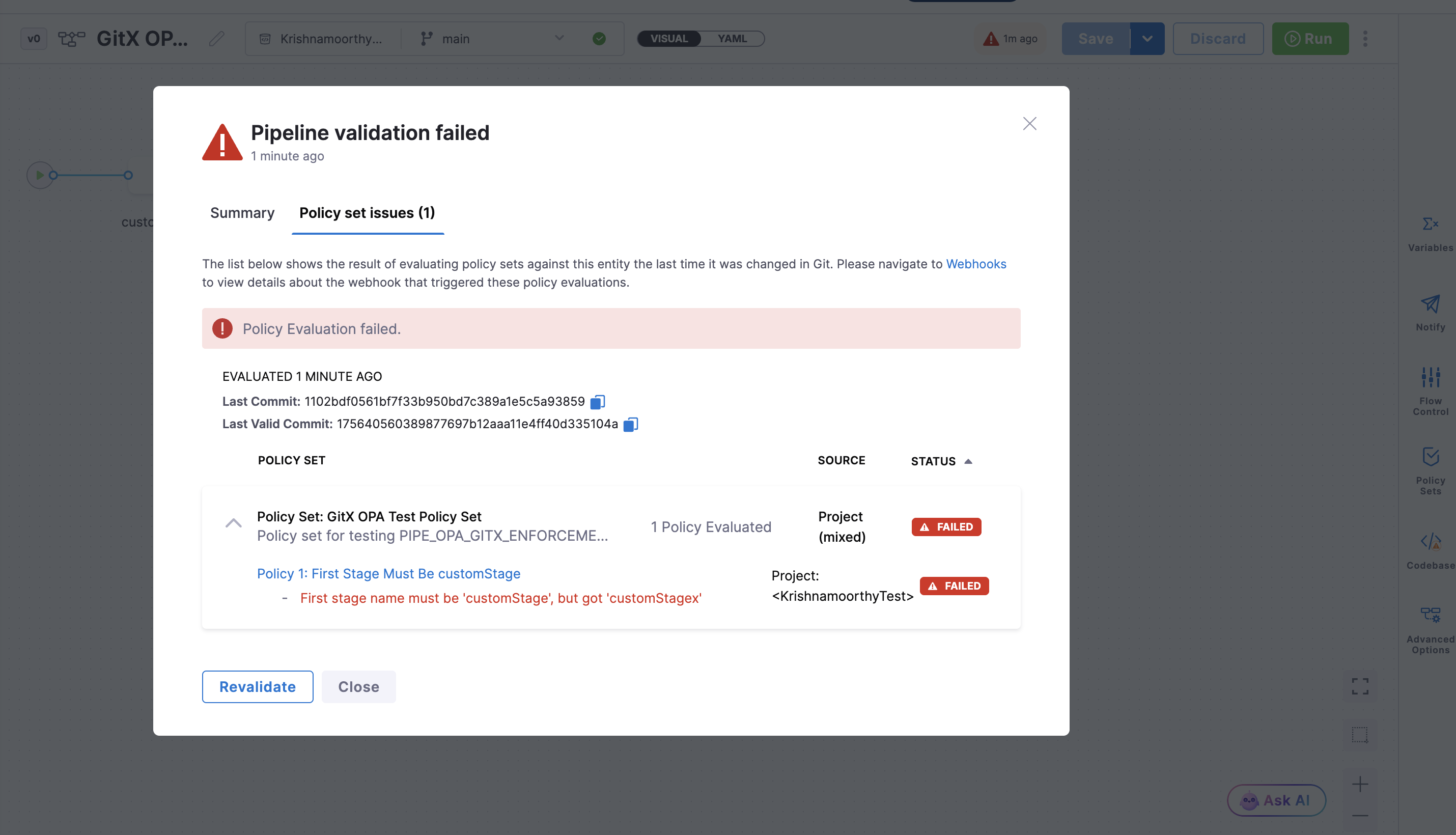
A validation badge shows the evaluation status for the entity's latest Git commit. Select the badge to open the validation result modal, which shows:
- The overall Policy Evaluation status and when it was evaluated.
- Last Commit and Last Valid Commit for the entity.
- Each Policy Set evaluated, its Source scope, and its Status (passed or failed).
- The individual policies in each set, with the failure message for any policy that fails policy evaluation (for example,
Rollback execution denied by policy). - A link to Webhooks, where you can view the webhook that triggered the evaluation.
The modal opens on the Policy set issues tab.
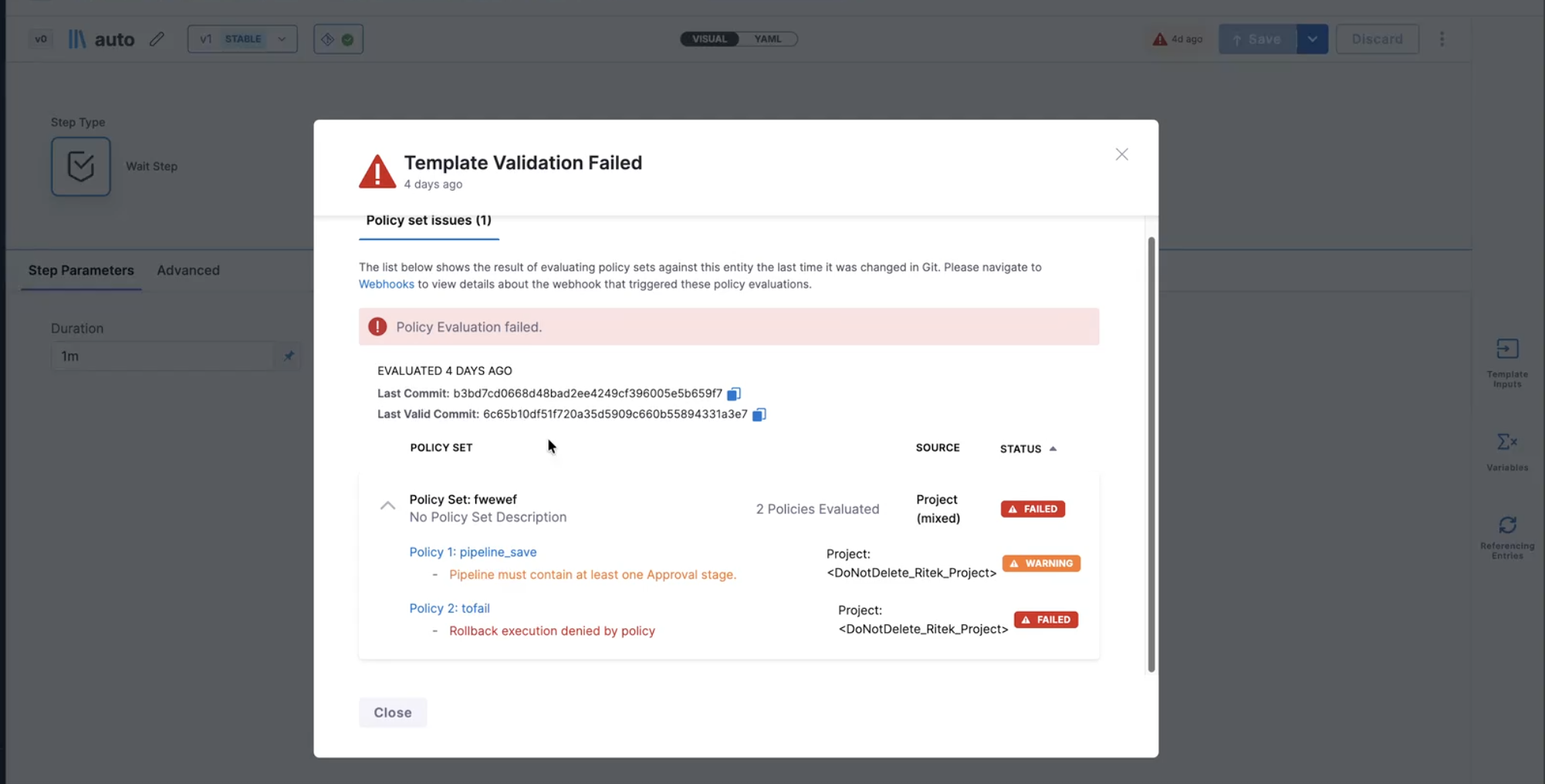
For a Git-backed template, Template Studio shows the same policy results in a Template Validation Failed modal.
The validation badge appears only when the entity's latest Git commit violates an onSave policy. A compliant entity does not show the badge.
In the Run Pipeline flow
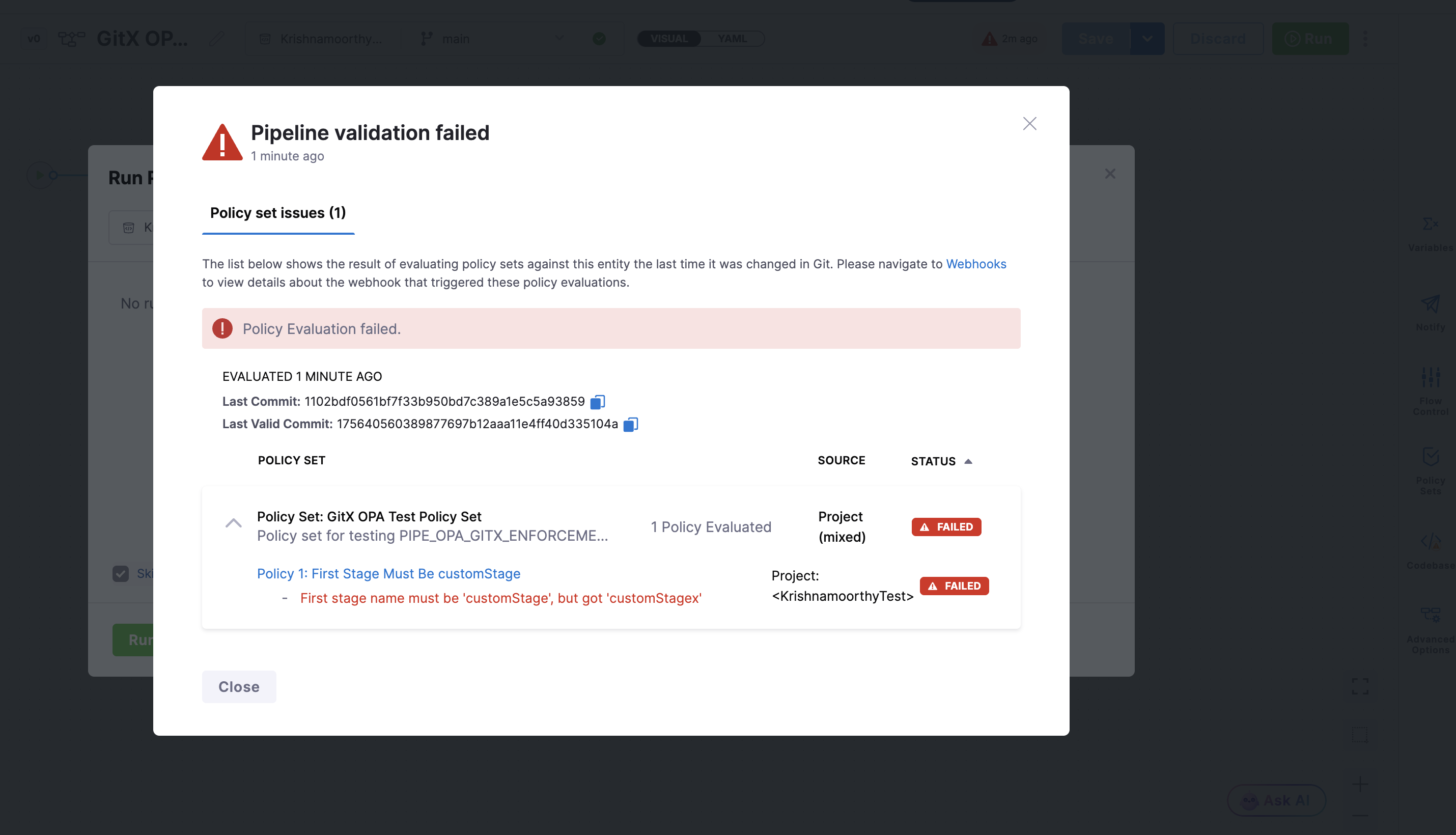
If you run a pipeline whose latest Git commit fails policy evaluation, Harness blocks pipeline execution and shows the policy results in the same modal, instead of a generic error. Review the failed policy sets, fix the entity in Git, and run again after the new commit passes policy evaluation.
On CD entity detail pages
For services, environments, infrastructure definitions, and overrides that are stored in Git, Harness displays the onSave policy evaluation status directly on the entity detail page. When the latest commit for a Git-backed entity fails an onSave policy, a validation badge labeled Service Validation Failed, Environment Validation Failed, Infrastructure Validation Failed, or Override Validation Failed appears in the entity header.
Select the badge to view the same validation result modal as pipelines, including which policy sets failed, the commit that was evaluated, and the last valid commit.
The badge appears only when the entity's latest Git commit violates an onSave policy. A compliant entity does not show the badge.
Re-evaluate a blocked entity
Harness does not automatically re-evaluate an entity after you change a policy. If an entity failed onSave policy validation and you later update the policy, execution stays blocked until you re-evaluate the entity:
- Templates: Save or update the template to trigger policy evaluation again.
- Pipelines: Select Revalidate to run policy evaluation again.
- CD entities: Commit a new change to the entity in Git or save the entity through Harness to trigger a fresh policy evaluation.
Next steps
- Harness Policy as Code overview: Understand how policies and policy sets are evaluated.
- Configure Git Experience for OPA: Store your Rego policies in Git as remote policies.
- Git Experience health status: Confirm that your repositories have working webhooks.