Handle empty strings in input variables
Harness handles a blank input variable differently depending on whether you run a pipeline with or without an input set. This topic explains the behavior and shows how to use the Save Blank Fields as Empty String setting to preserve empty string values consistently during pipeline execution.
What you will learn from this topic
- How Harness handles a blank input variable with and without an input set.
- How to enable Save Blank Fields as Empty String with the account-level settings.
- How the pipeline behaves before and after enabling the setting.
How Harness handles blank input variables
Consider the following pipeline:
pipeline:
  name: Input_Pipeline
  identifier: Input_Pipeline
  projectIdentifier: test
  orgIdentifier: default
  tags: {}
  stages:
    - stage:
        name: custom
        identifier: custom
        description: ""
        type: Custom
        spec:
          execution:
            steps:
              - step:
                  type: ShellScript
                  name: ShellScript_1
                  identifier: ShellScript_1
                  spec:
                    shell: Bash
                    executionTarget: {}
                    source:
                      type: Inline
                      spec:
                        script: |
                          input_variable=<+pipeline.variables.input_variable>
                          echo "the value is:$input_variable"
                    environmentVariables: []
                    outputVariables: []
                  timeout: 10m
        tags: {}
  variables:
    - name: input_variable
      type: String
      description: ""
      required: false
      value: <+input>
This pipeline has an input variable called input_variable that you set at runtime. A simple script prints the value of input_variable so you can see whether it is passed as an empty string or as null when you leave it empty.
The pipeline also has an input set where the value of input_variable is left empty. For example:
inputSet:
  name: input_set
  tags: {}
  identifier: input_set
  orgIdentifier: default
  projectIdentifier: test
  pipeline:
    identifier: Input_Pipeline
    variables:
      - name: input_variable
        type: String
        value: ""
Before enabling the setting
The two ways of running a pipeline (without an input set and with an input set) behave differently.
Run without an input set
If you run the pipeline without an input set and check the execution, you see this output:
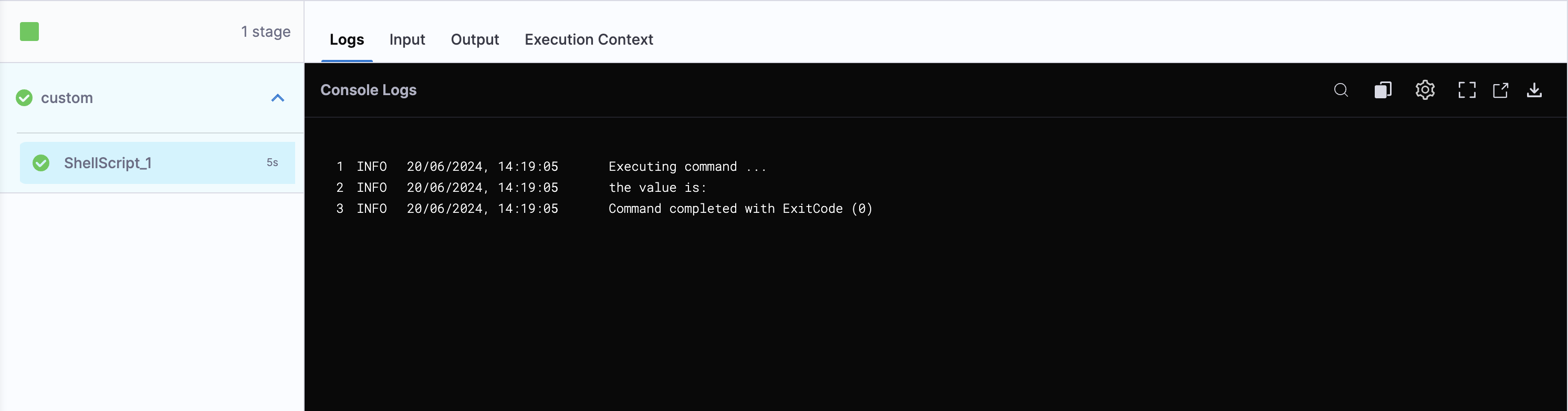
The output takes the value of input_variable as empty, which is expected because you provided an empty value for input_variable at runtime.
Run with an input set
Now, run the pipeline using the input set input_set.
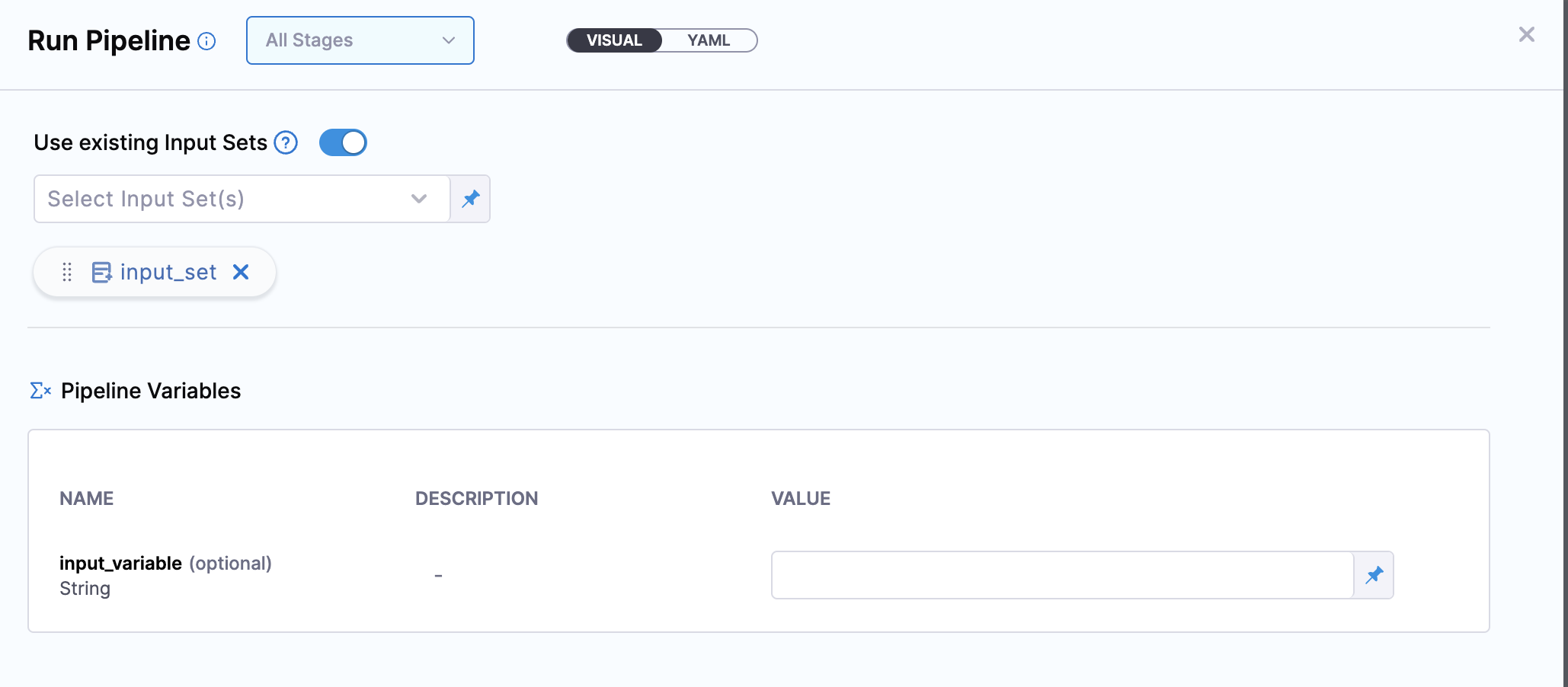
If you run the pipeline using an input set and check the execution, you see this output:
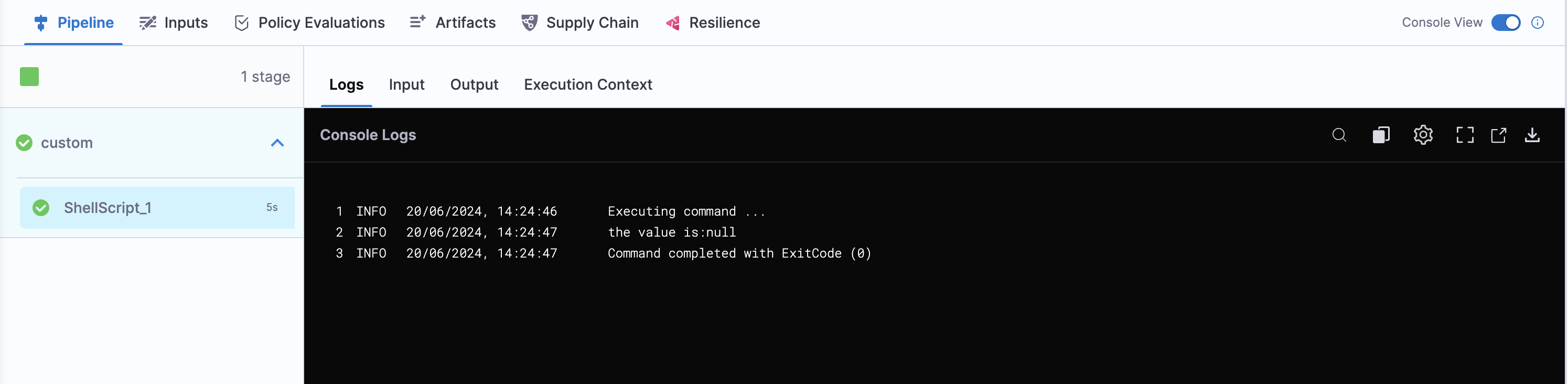
The output treats input_variable as null when it is left empty.
Without the setting enabled, a blank value supplied through an input set is treated as null instead of an empty string. This difference can affect pipeline execution if downstream logic expects an empty string.
This happens because, when Harness saves an input set with an empty value for an input variable, or runs the pipeline with an input set that has an empty string value, it encodes the value as <+input>.
<+input> is treated as null in Harness.
Enable the Save Blank Fields as Empty String setting
To preserve blank string values during execution, enable Save Blank Fields as Empty String. When enabled, empty string values ("") remain unchanged instead of resolving to null.
This feature depends on the CDS_ENABLE_RAW_MODE feature flag. Contact Harness Support to enable the feature.
Enable the following account-level settings to use this feature. Both settings are available under Account Settings -> General -> Default Settings -> Pipeline.
- Show checkbox to Save Blank Fields as Empty String (
display_raw_mode_setting): Displays the Save Blank Fields as Empty String checkbox when creating input sets, triggers, or running a pipeline. If disabled, the checkbox is hidden and blank fields continue to resolve asnull. - Default Value of Blank Fields Checkbox (
default_raw_mode_setting_value): Selects the checkbox by default wherever it is available.
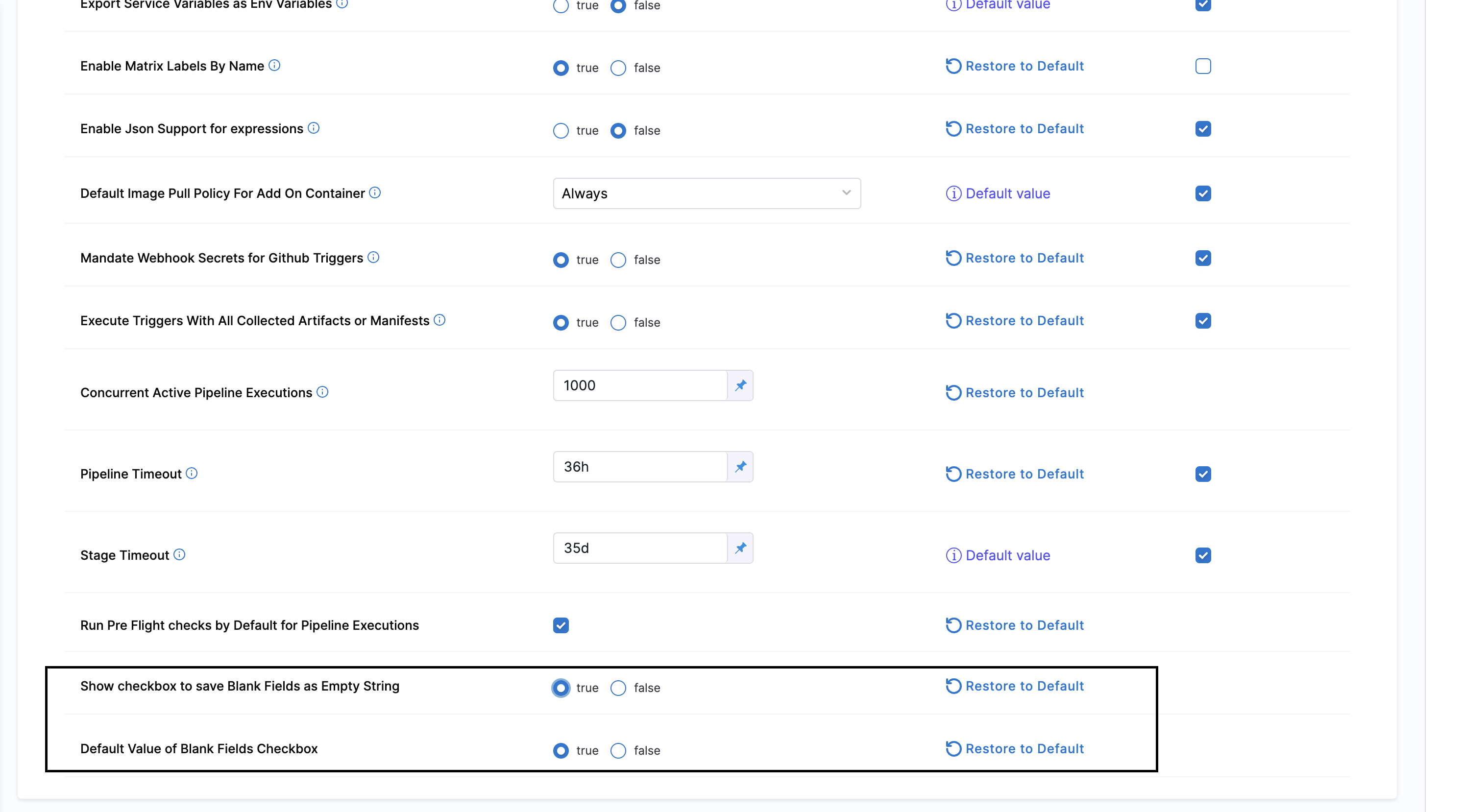
When Harness saves a blank String field as an empty string (""), it treats that empty string as a resolved value. As a result, an expression such as <+expression.isResolved(<+pipeline.variables.input_variable>)> returns true even when no value was entered.
Harness cannot distinguish an intentionally empty string from a value that was never provided, so it cannot validate against empty strings during execution.
To require an actual value, mark the variable as required instead of depending on an emptiness check. For more information, refer to Check expression isResolved isUnresolved null replacement.
After enabling the setting
This section uses the same example pipeline and input set from How Harness handles blank input variables.
After you enable the settings, a Save Blank Fields as Empty String checkbox appears when you create an input set. Select the checkbox and save the input set. This ensures that Harness treats a blank value as an empty string, not null.
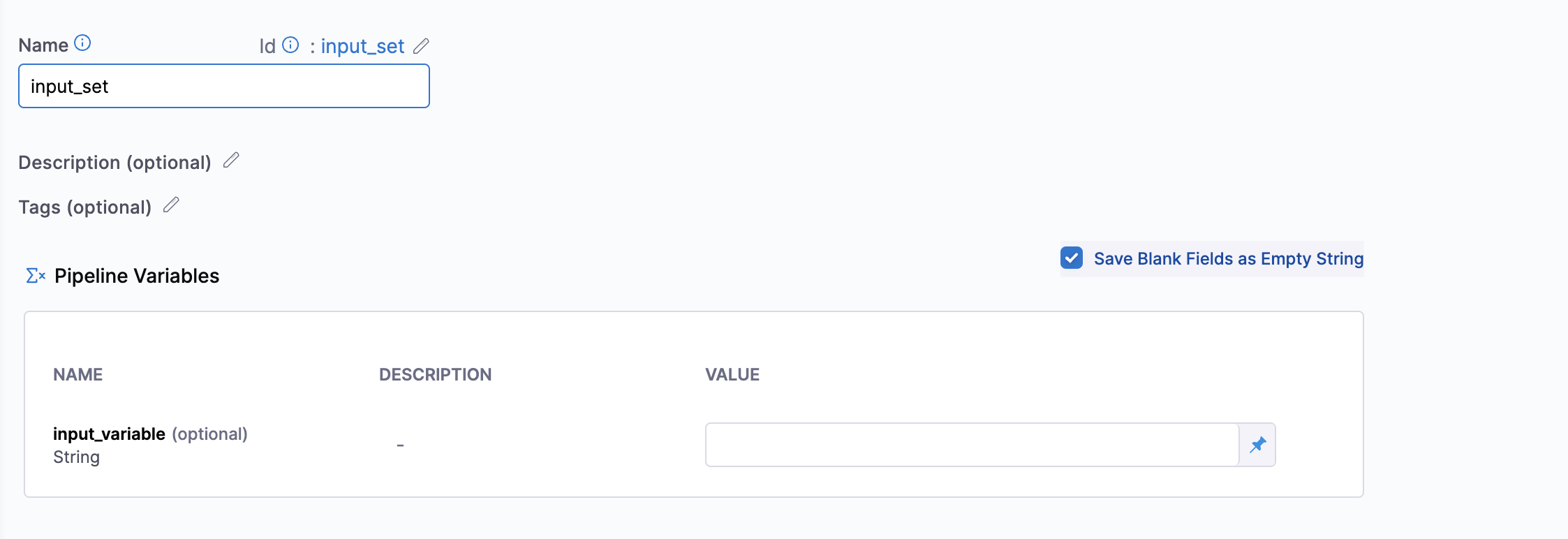
Run the pipeline again to see the change in both ways of running a pipeline.
Run without an input set
A direct run (without an input set) already treats a blank input variable as an empty string, so this path is unaffected by the setting.
Run with an input set
Now, run the pipeline using the input set input_set with the Save Blank Fields as Empty String checkbox enabled.
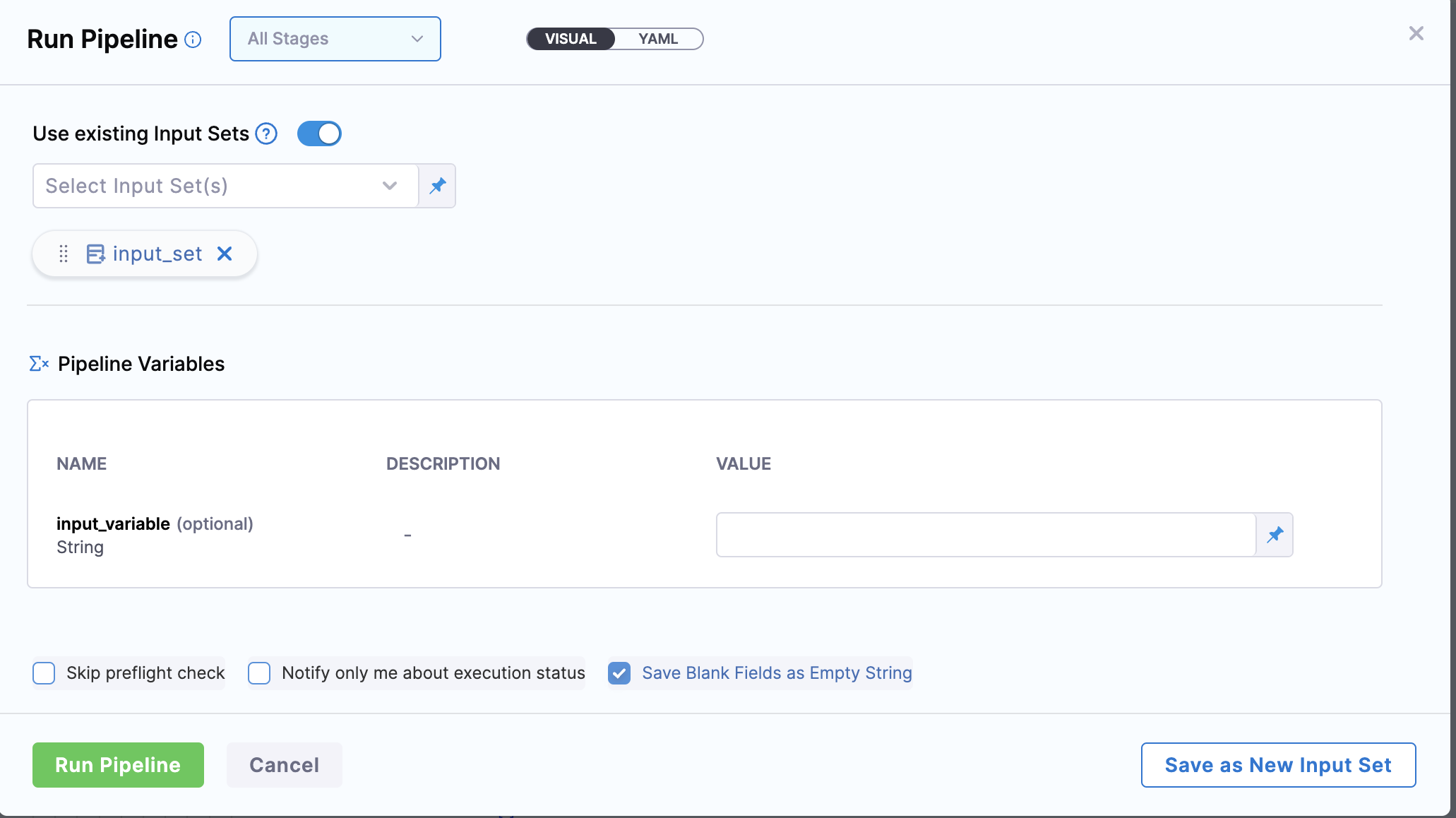
If you run the pipeline using an input set and check the execution, you see this output:
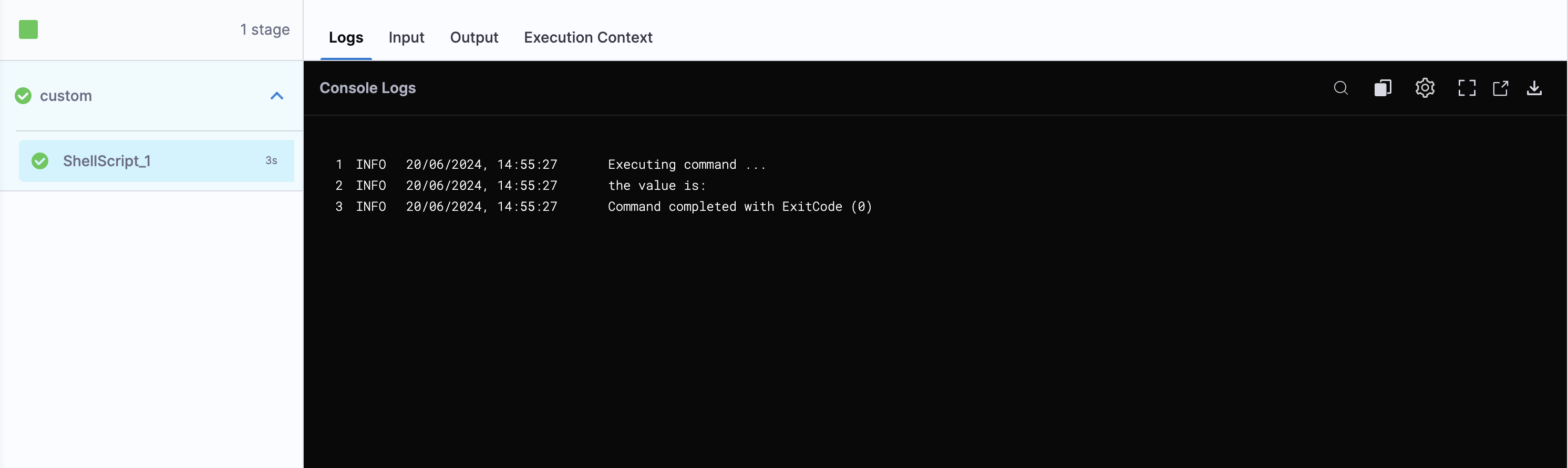
In this case, the output treats input_variable as an empty string when it is left empty.
The pipeline now treats blank input values consistently as empty strings, regardless of whether you run it directly or through an input set.
Next steps
- Pipeline settings: Review the account-level settings reference.
- Input sets and overlays: Create reusable sets of runtime input values.
- Use runtime input: Understand how runtime input values are validated.